Overview
To use the WhatsApp Official API, you need to set up a payment method. This setup enables you to send message templates.Requirements
- Business Portfolio (BM): you need to have a business portfolio set up with the WhatsApp number already linked
- Required permission: you’ll need to be an administrator or have the necessary permissions to configure payments on the relevant WhatsApp account
Step by step
Step 1 - Access your Meta account
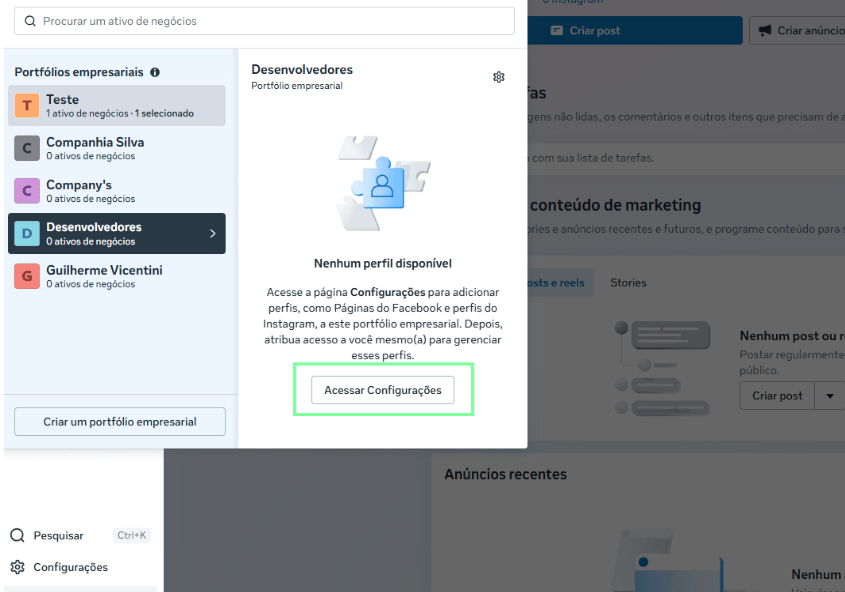
Go to: business.facebook.comStep 2 - Access the Business Portfolio (BM)
- Click to select the Business Portfolio
- Click to access this portfolio’s settings
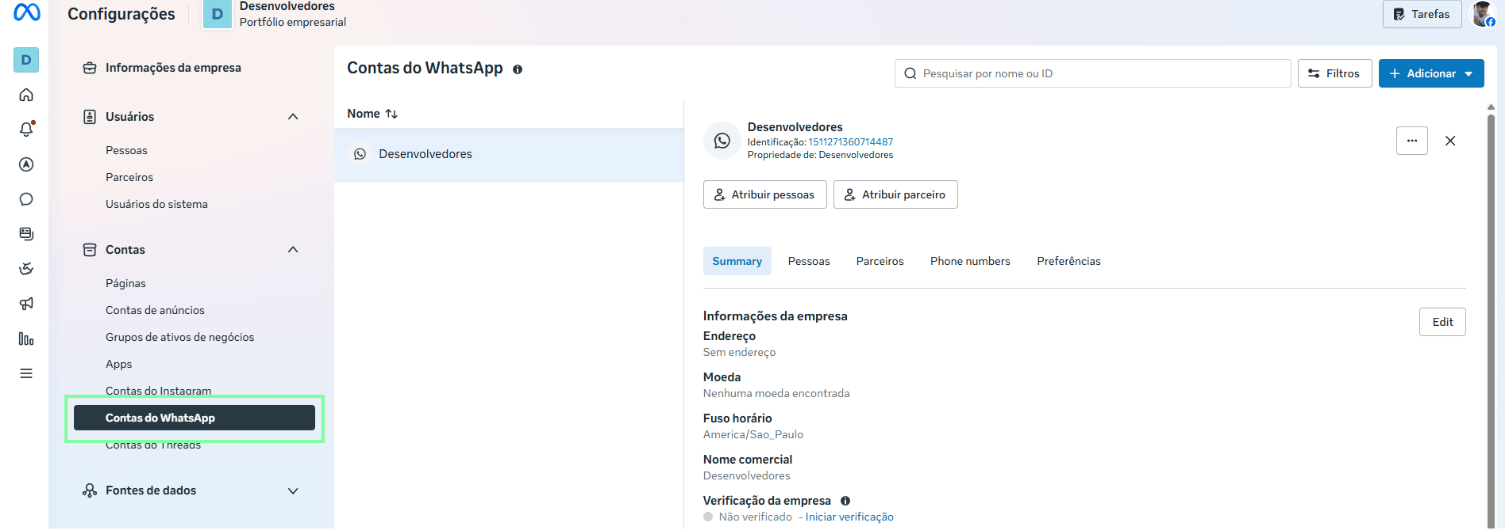
Step 3 - Access the WABAs (WhatsApp Accounts)
- Click WhatsApp Accounts
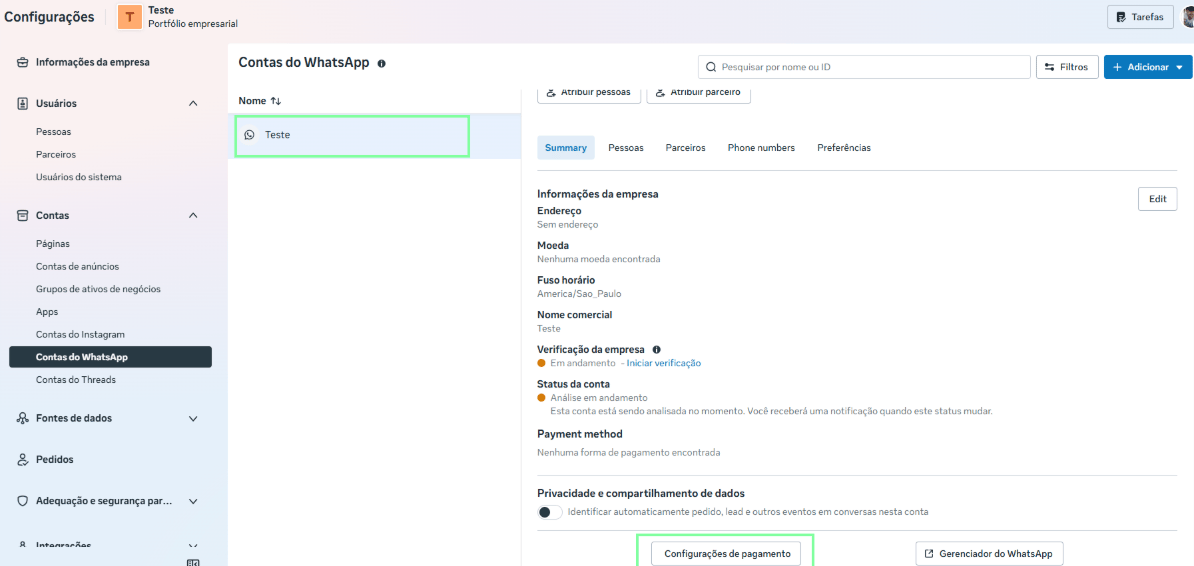
Step 4 - Access the payment settings
- Select the relevant account
- Then select “Payment settings”
Step 5 - Access the payment method setup
- Select the Payment methods menu item
You need the required permissions to make changes on this screen.
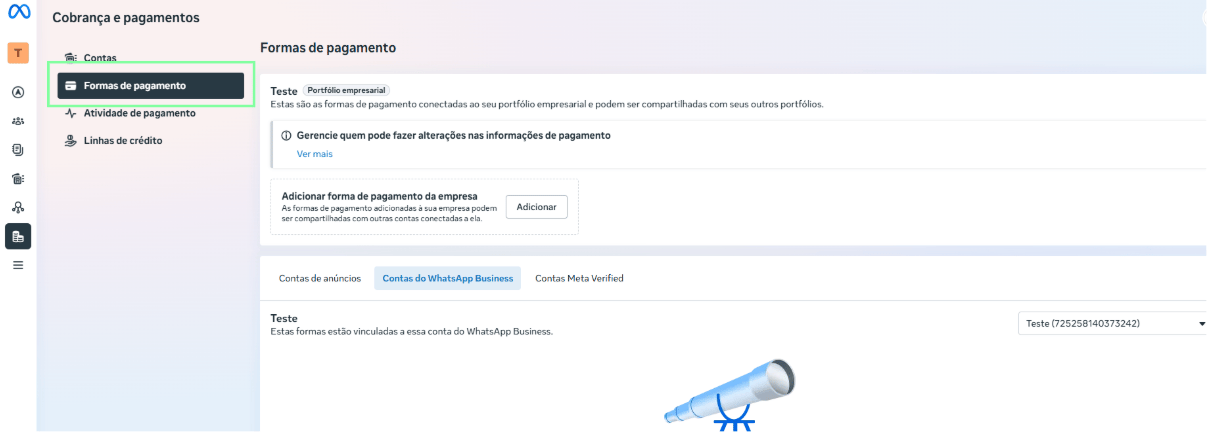
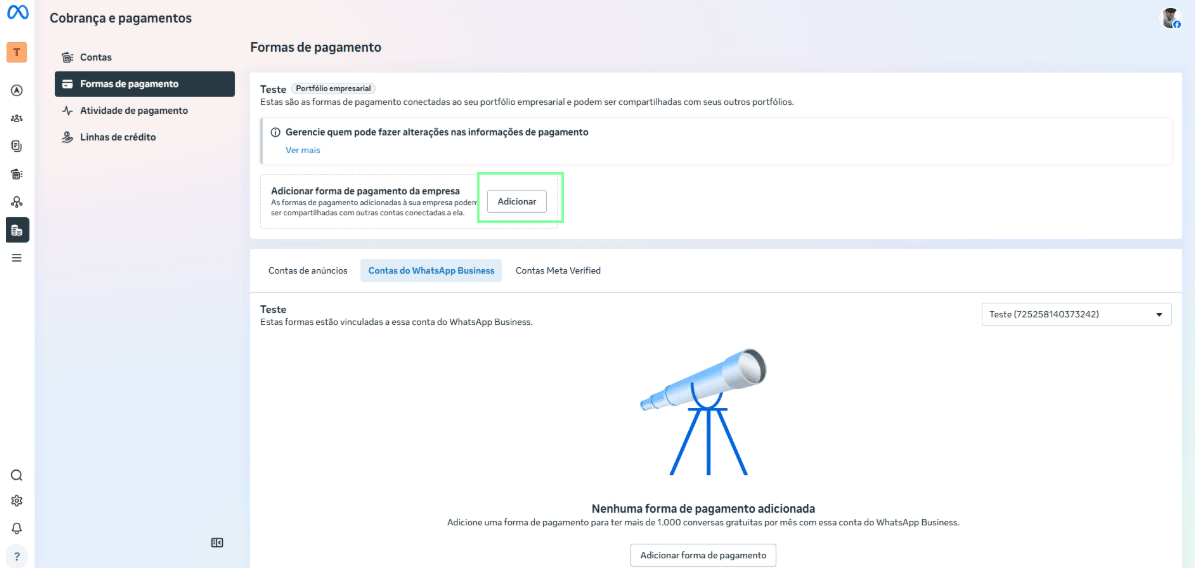
Step 6 - Add a payment method
- Click Add to start the payment method setup process
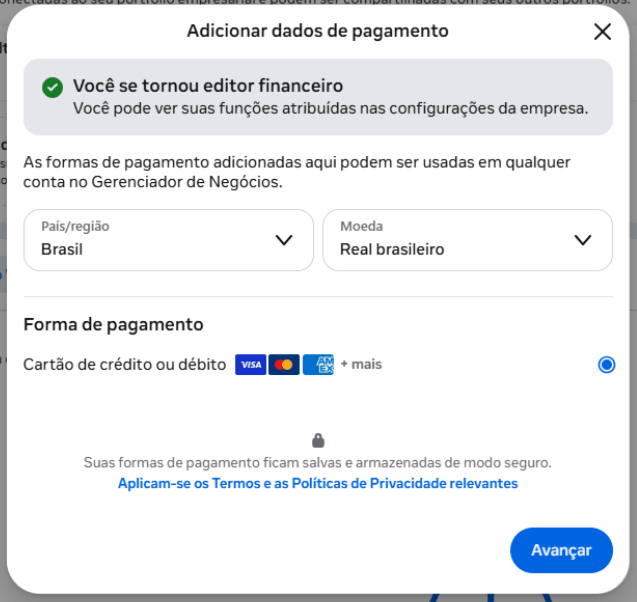
Step 7 - Fill in the country and currency
- Set the country to Brazil
- Select US dollar (USD) as the currency. This is required because Meta uses the dollar as the base currency, but it converts to Brazilian reais on your card’s invoice afterward
- Then click Next
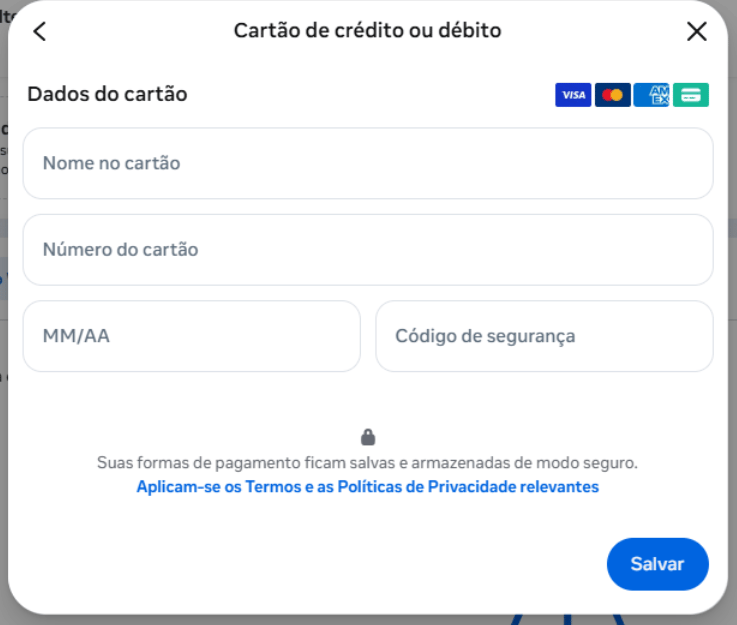
Step 8 - Fill in the card details
- Fill in all the card details and click Save
- Since processing happens in dollars, the card needs to be enabled for international purchases
- The amount charged will be based on the dollar exchange rate on the day the invoice closes
Step 9 - Add the card to the WhatsApp Business account
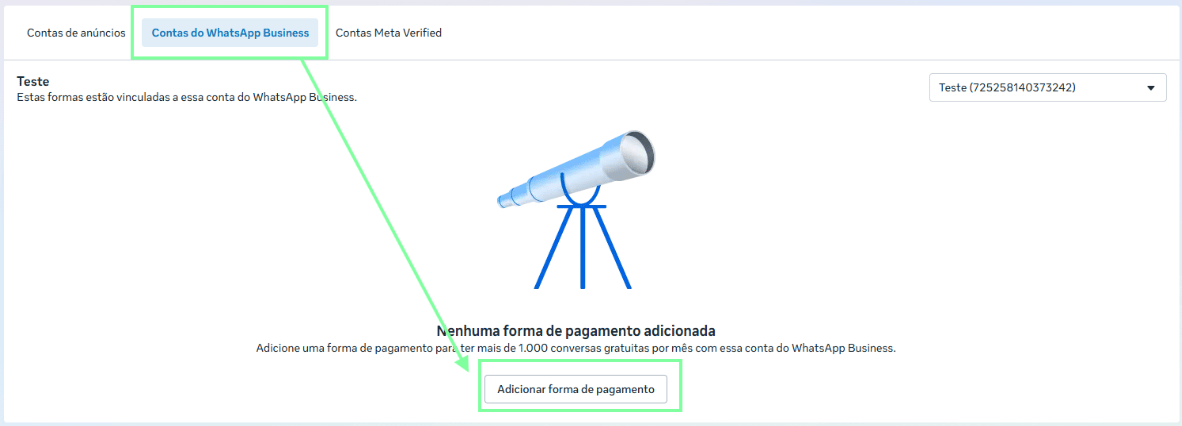
- After entering a card, click the WhatsApp Business Accounts tab
- Then click Add payment method
- Add the card you previously registered and link it to complete the process