

Overview
To use the WhatsApp Official API, you first need to create a Business Portfolio in Meta Business Manager. This guide walks you through the full process.Step 1: Go to the site
Go to: business.facebook.com After accessing the site, click to create a business portfolio, as shown in the image below: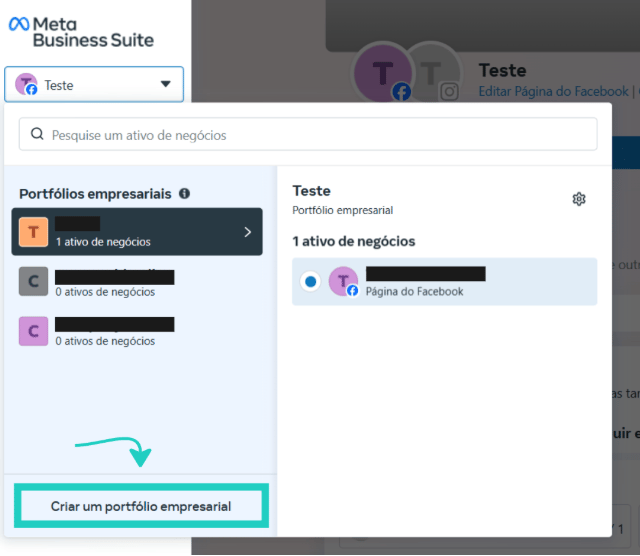
Step 2: Fill in the information
After clicking to create a business portfolio, you’ll need to fill in the following information:- Business portfolio name: enter your company’s or brand’s name
- First and last name: enter the name of the person responsible for the account
- Business email: enter the email you’ll use to manage your business portfolio. It’s important that it’s a professional or company email
Step 3: Create the business portfolio
After filling in the information, click the “Create” button.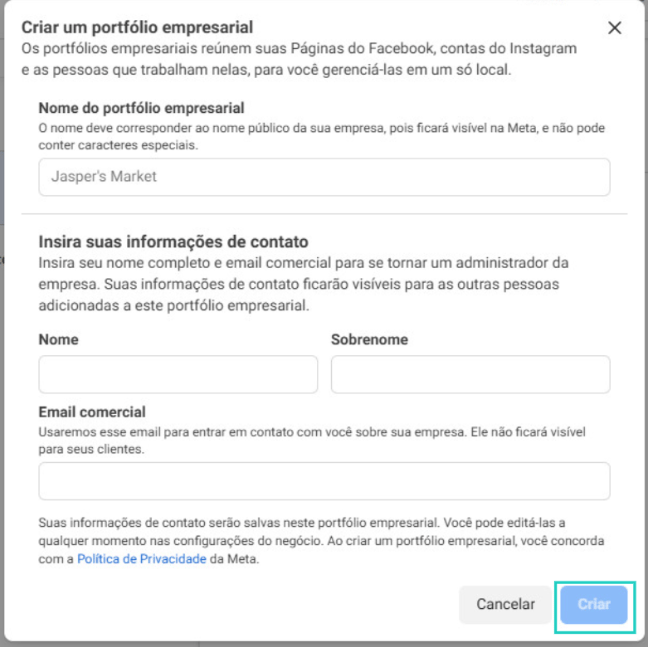
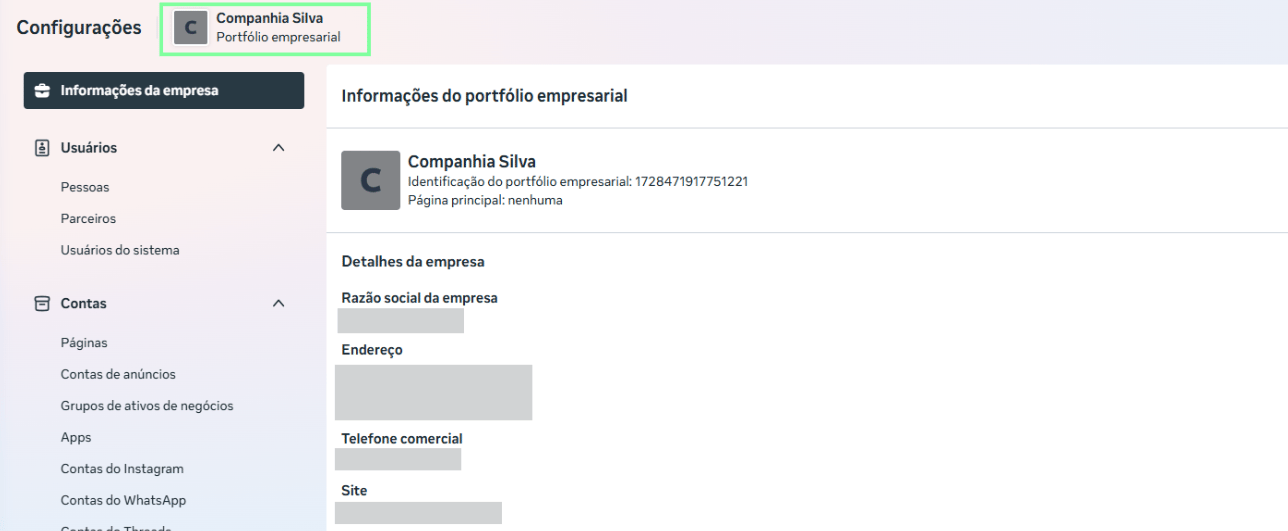
With the portfolio created, the next step is to verify your portfolio to unlock all the Official API features.