

Overview
The Cloud API lets you connect a number directly to the WhatsApp Official API through your Meta Business Account (Business Manager). This is the most traditional method for new numbers and gives you access to all the features available on the platform.Requirements
- Business Portfolio (BM): you need to have a business portfolio set up (verified, if possible. This gives the BM more credibility with Meta)
- Account administrator: you’ll need to have an administrator profile on the business account and on Facebook
- The number must not be in the WhatsApp app: to use this connection method, the number can’t be active in the WhatsApp app. You’ll need to disconnect it from the app first. The process between disconnecting and attempting a connection to the Official API through the Cloud API can take a few minutes
- A number that can receive SMS or calls: you need a number that can receive an SMS or a phone call, since Meta will send a verification code
Adding a number through Meta
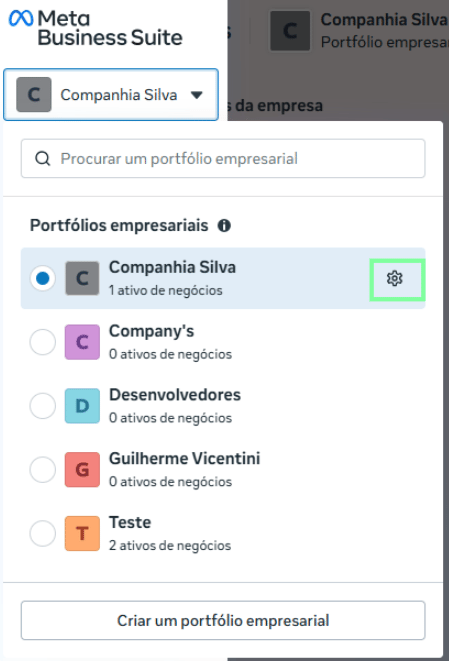
Step 1 - Access the Business Portfolio (BM)
- Go to: business.facebook.com
- Click the gear icon for the relevant Portfolio
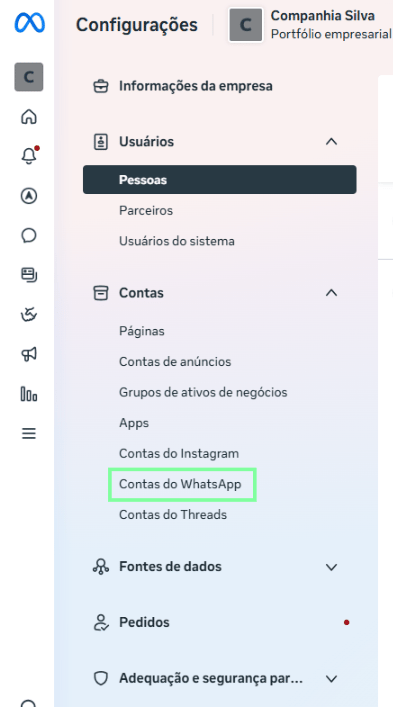
Step 2 - Access the WABA (Business Account) screen
- Click “WhatsApp Accounts”
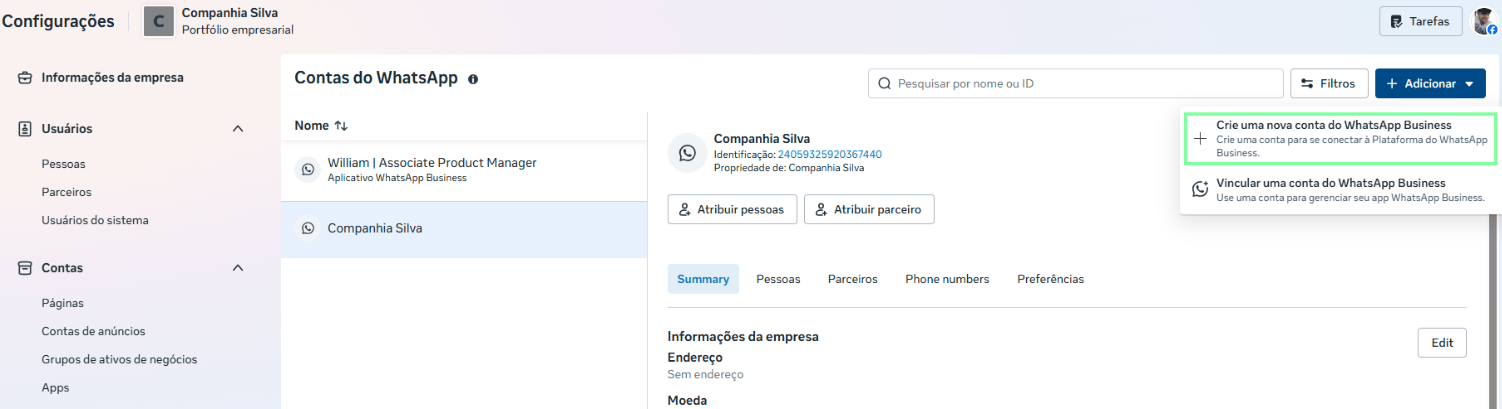
Step 3 - Add a new WABA and a new number
You can add a WABA directly through Meta.- Click the Add button

- Click Create a new WhatsApp Business account
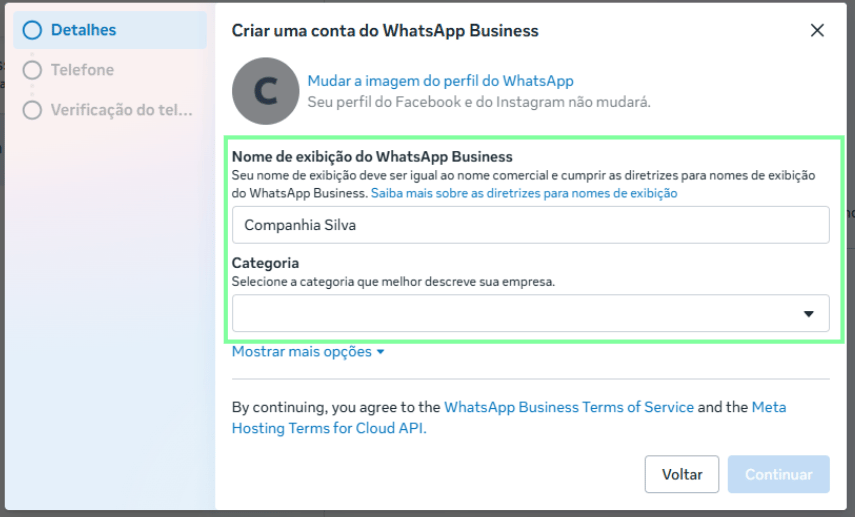
Step 4 - Fill in the business information
- Set up the WhatsApp display name: it’s important that it matches your business name and follows Meta’s guidelines
- Select a category that matches your business (Automotive, Education, etc.)
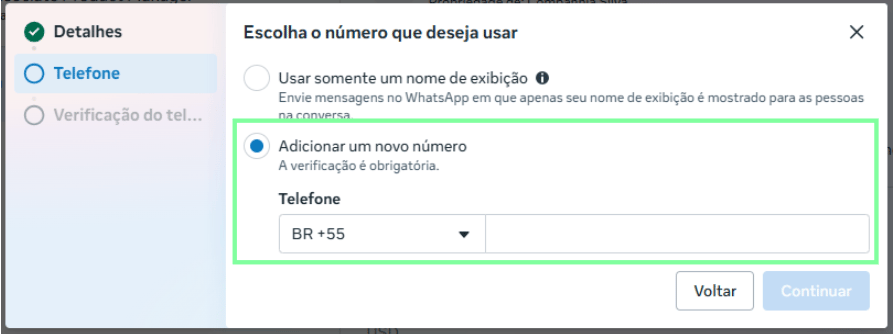
Step 4 - Choose the number
You’ll have two options to choose from:- Use a display name: with this option, Meta creates a virtual number (which can’t receive calls or SMS) and only the display name is shown to the customer on WhatsApp
- Add a number: with this option, you’ll need to add a new number
Step 5 - Verify a phone number
If you choose the “Add a number” option, you’ll need to verify your phone.- Choose SMS or Call
It’s important to set up a payment method in order to send templates.