> ## Documentation Index
> Fetch the complete documentation index at: https://developer.hubmessage.io/llms.txt
> Use this file to discover all available pages before exploring further.
# How to create a portfolio
> Learn how to create your Business Portfolio in Meta Business Manager
export const frontendUrl = 'https://app.hubmessage.io';
export const projectName = 'Hub Message';
## Overview
To use the **WhatsApp Official API**, you first need to create a **Business Portfolio** in Meta Business Manager. This guide walks you through the full process.
## Step 1: Go to the site
Go to: [business.facebook.com](https://business.facebook.com/)
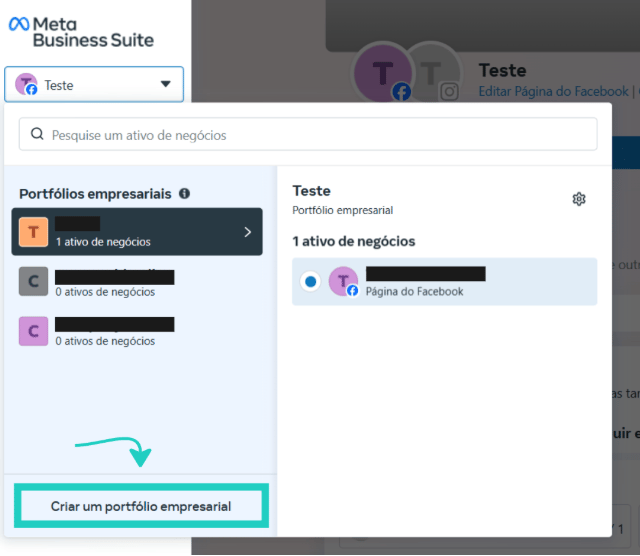
After accessing the site, click to create a business portfolio, as shown in the image below:
 ## Step 2: Fill in the information
After clicking to create a business portfolio, you'll need to fill in the following information:
* **Business portfolio name**: enter your company's or brand's name
* **First and last name**: enter the name of the person responsible for the account
* **Business email**: enter the email you'll use to manage your business portfolio. It's important that it's a professional or company email
## Step 3: Create the business portfolio
After filling in the information, click the **"Create"** button.
## Step 2: Fill in the information
After clicking to create a business portfolio, you'll need to fill in the following information:
* **Business portfolio name**: enter your company's or brand's name
* **First and last name**: enter the name of the person responsible for the account
* **Business email**: enter the email you'll use to manage your business portfolio. It's important that it's a professional or company email
## Step 3: Create the business portfolio
After filling in the information, click the **"Create"** button.
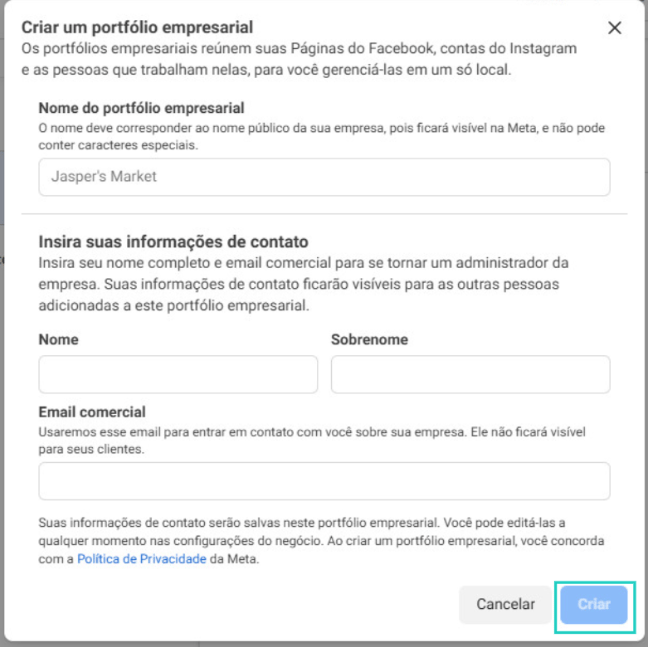 After that, the business portfolio will be created!
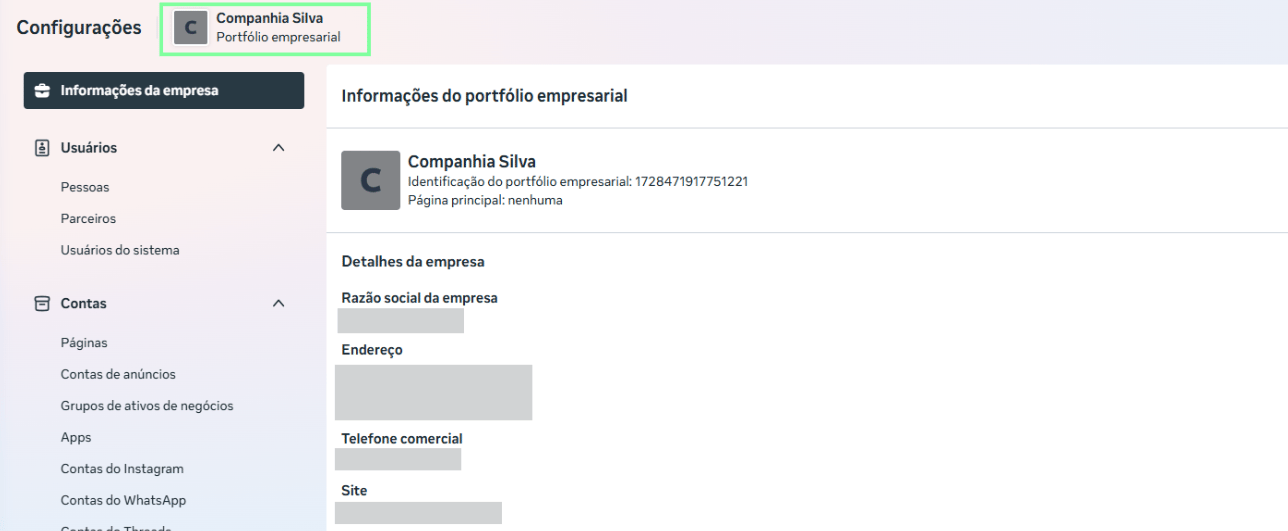 With the portfolio created, the next step is to [verify your portfolio](/en/whatsapp-official/portfolio/verify-portfolio) to unlock all the Official API features.